Case study: Grafana Workflows Blueprint Engine
The system behind Grafana Workflows blueprints: one readable file, for humans and agents, that is an executable automation scenario.
Product designer, Builder
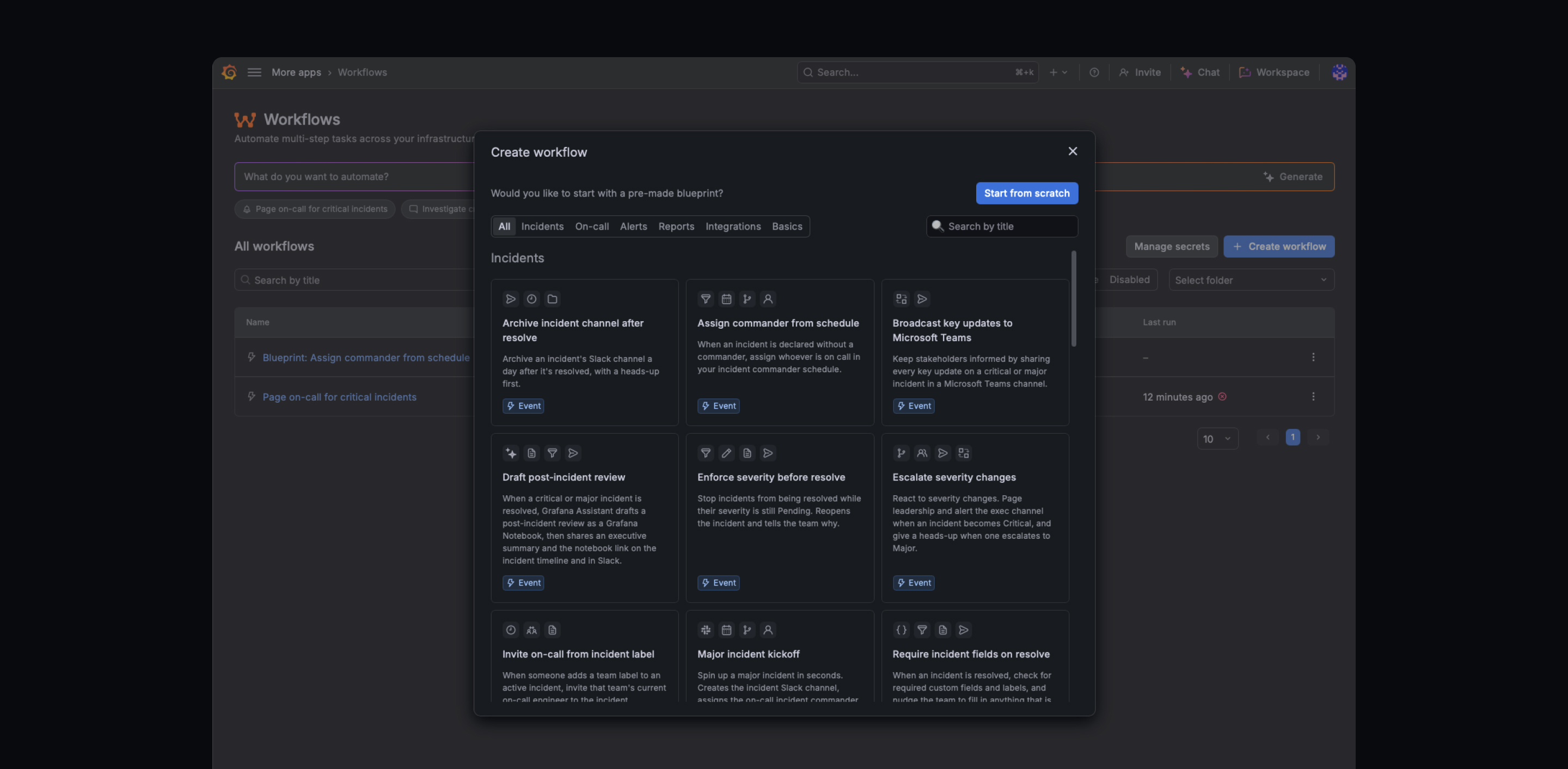
The Problem
Every automation starts from a blank canvas.
To route an alert, page someone or chase a post-incident review, a person has to know which trigger to pick, which steps exist, how they connect and what goes into each field, all before anything worked.
That's a lot to hold in your head, even for people who know the product. And the scenarios aren't unique. Teams keep rebuilding the same handful of patterns, each time from an empty editor.
The Blueprints library can solve it. A person picks one from the list, opens it as a real workflow and adapts it. An AI agent uses it as a starting point instead of generating automation from nothing.
The Challenge: Two audiences, one scenario
A blueprint needs to be one scenario that serves both humans and agents.
A person in the library
Needs one or two sentences about what the scenario does. The full graph on a card is noise.
An agent in the assistant
Needs the full picture: why the scenario exists, when it fits, how the steps relate and what to customize.
The obvious answer is a separate description for each audience, plus a catalog config for category, badge, icons and ID. That's a second artifact next to the workflow, one that drifts out of sync, and every new scenario would mean maintaining a catalog on the side.
Choosing the direction
The key trade-off was how complex the engine needed to be.
A blueprint as a folder
Each blueprint is a folder that bundles the scenario, its tests, metadata and other assets. More room to describe and verify a scenario, at the cost of a heavier engine and a structure of its own next to the node model.
A blueprint as a JSON file
A simpler format: one JSON file written in the same language the product uses to describe nodes and what's inside them. Less room for extras, nothing new to learn, and it reads as plain text.
Why this approach
No one score settled it. This direction gave the strongest overall balance across creation, consistency, flexibility, portability and long-term maintenance.
Solution
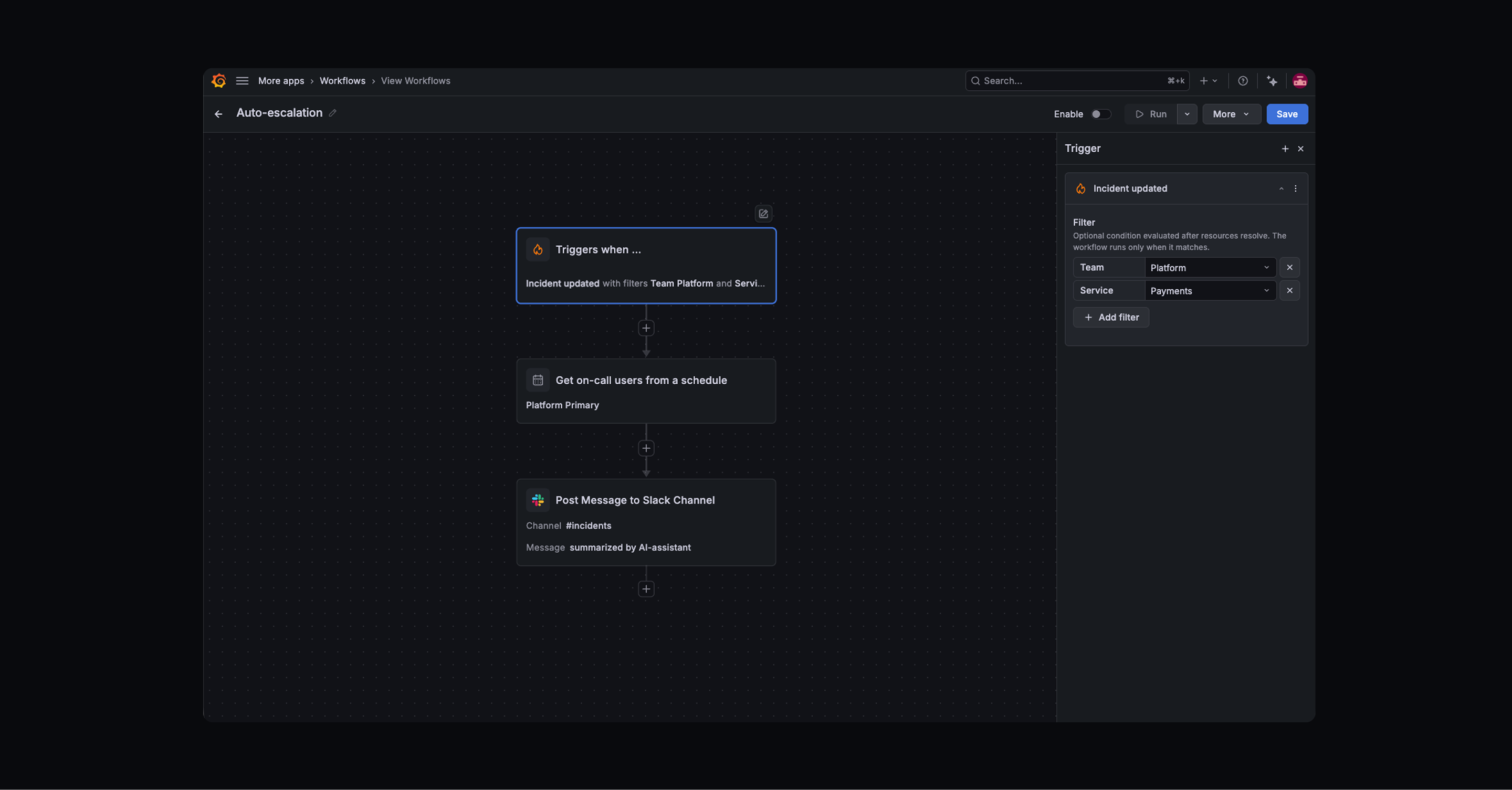
This is a real blueprint from the repo. The only things an author has to write are the two descriptions at the top, one per audience. Everything else is optional: the steps are added by the assistant or copied from the nodes, and a step gets its own scenario note only where the node's default text isn't enough.
types/templates/auto-escalation.json{
  "description": "Page the on-call engineer when a critical incident is updated.",
  "agentDescription": "Monitors incident update events and automatically pages the on-call
    engineer when an incident reaches critical severity. Combines an event trigger with a severity
    filter and IRM paging action. Useful for teams that want immediate escalation without manual
    intervention on high-severity incidents.",

  "definition": {
    "name": "Auto-Escalation",                          // → card title
    "enabled": false,
    "startWhen": {
      "matchingRules": [{ "eventNameRegex": ".*.incident.updated$" }],  // → category + badge
      "schedules": []
    },
    "steps": [
      {
        "id": "check-critical",
        "type": "filter",                                  // → icon
        "name": "Is critical?",
        "description": "Gates the workflow to only proceed for critical severity incidents.
          Adjust the condition value to match different severity levels (e.g. 'high') if needed.",
        "inputs": { "condition": "inputs.data.incident.severity == 'critical'" }
      },
      {
        "id": "page-oncall",
        "type": "irm.page-user",                           // → icon
        "name": "Page on-call engineer",
        "description": "Pages the on-call engineer via IRM. Set userID to the engineer's
          email address from your on-call schedule. Customize the message to include relevant incident context.",
        "inputs": {
          "userID": "",
          "incidentID": "${inputs.data.incident.incidentID}",
          "important": "true",
          "message": "Critical incident: ${inputs.data.incident.title}"
        }
      }
    ]
  }
}
A blueprint is mostly made of nodes Workflows already defines. Every step type lives in the shared node catalog, which we compile for the editor: its name, group, description, inputs with hints and required flags, outputs and icon. A blueprint step only references a type and sets values. Everything else about that step comes from the node.
Node · types/steps.yamlkind: StepType
spec:
  type: irm.page-user
  name: Page User via IRM
  group: IRM
  description: Create an IRM/OnCall escalation
    to page a user…
  params:
    - name: userID
      required: true
      description: Email address of the user
        to page (for example alice@example.com).
    - name: incidentID
      required: false
      …
  outputs:
    - name: escalationID
    - name: state
    …
Blueprint step · auto-escalation.json{
  "id": "page-oncall",
  "type": "irm.page-user",
  "name": "Page on-call engineer",
  "description": "Pages the on-call
    engineer via IRM. Set userID to
    the engineer's email address from your
    on-call schedule…",
  "inputs": {
    "userID": "",
    "incidentID":
      "${inputs.data.incident.incidentID}",
    "message":
      "Critical incident: ${…title}"
  }
}
| What the product shows | Where it comes from |
|---|---|
| Step names, inputs, hints, required fields | The node in the catalogsteps.yaml → compiled step types |
| Icons | The nodes the scenario uses, in order, unique, up to four on the cardstep type → node icon → integration icon |
| Category | The trigger node: what event it listens to, or a scheduleIncidents · Alerts · Scheduled · General |
| Badge | Trigger typeEvent · Schedule · Manual |
| Title | The workflow's own name |
| ID | File name, injected at build |
So an author fills in two fields: a sentence for the card and a description for the agent. The steps come from the assistant, which writes a good blueprint from a prompt because the nodes already carry most of the meaning, or are copied straight from the nodes. Step descriptions default to the node's own text, and anything else is optional.
This was a product decision more than a technical one. Every field an author types is another way for an entry to be incomplete, and another place where the catalog can say something the workflow doesn't.
One command turns the folder of blueprint files into the catalog. It checks that each file has both descriptions and a definition, that the workflow has a name and at least one trigger, strips author-only notes, and injects the ID. Files starting with _, like the authoring template, are skipped.
The authoring loop: write one file, run the build, get a catalog entry.
go/scripts/generate-templates-json/main.go// Validate required top-level fields
for _, field := range []string{
  "description", "agentDescription", "definition",
} {
  if _, ok := raw[field]; !ok {
    fail("%s is missing required field %q", name, field)
  }
}
if def.Name == "" {
  fail("%s definition.name is empty", name)
}
if len(def.StartWhen.MatchingRules) == 0 &&
   len(def.StartWhen.Schedules) == 0 {
  fail("%s definition.startWhen has no triggers", name)
}
// Inject id from filename, strip author notes
raw["id"] = idFrom(name)
delete(raw, "_comment")
delete(raw, "_definitionNote")
terminal$ make generate-templates-json
Error: pir-reminder.json is missing required field "agentDescription"

# add the description, run again
$ make generate-templates-json
Updated plugin/src/features/templates/data/templates.json

$ make generate-templates-json
templates.json is up to date
Left: the validation step, condensed. Right: an illustrative run using the build's real error messages.
The boundary is deliberate. The build guarantees an entry is complete, not that the workflow is correct. A condition that never fires still compiles.
Result
One sentence from description. Everything else derived.
{
    "agentDescription": "Monitors incident
      update events and pages…",
    "steps": [{
      "id": "page-oncall",
      "description": "Set
        userID to the
        engineer's email…",
      "inputs": { "userID": "" }
    }]
  }
The agent knows exactly what the empty field is for.
What's next and criteria of success
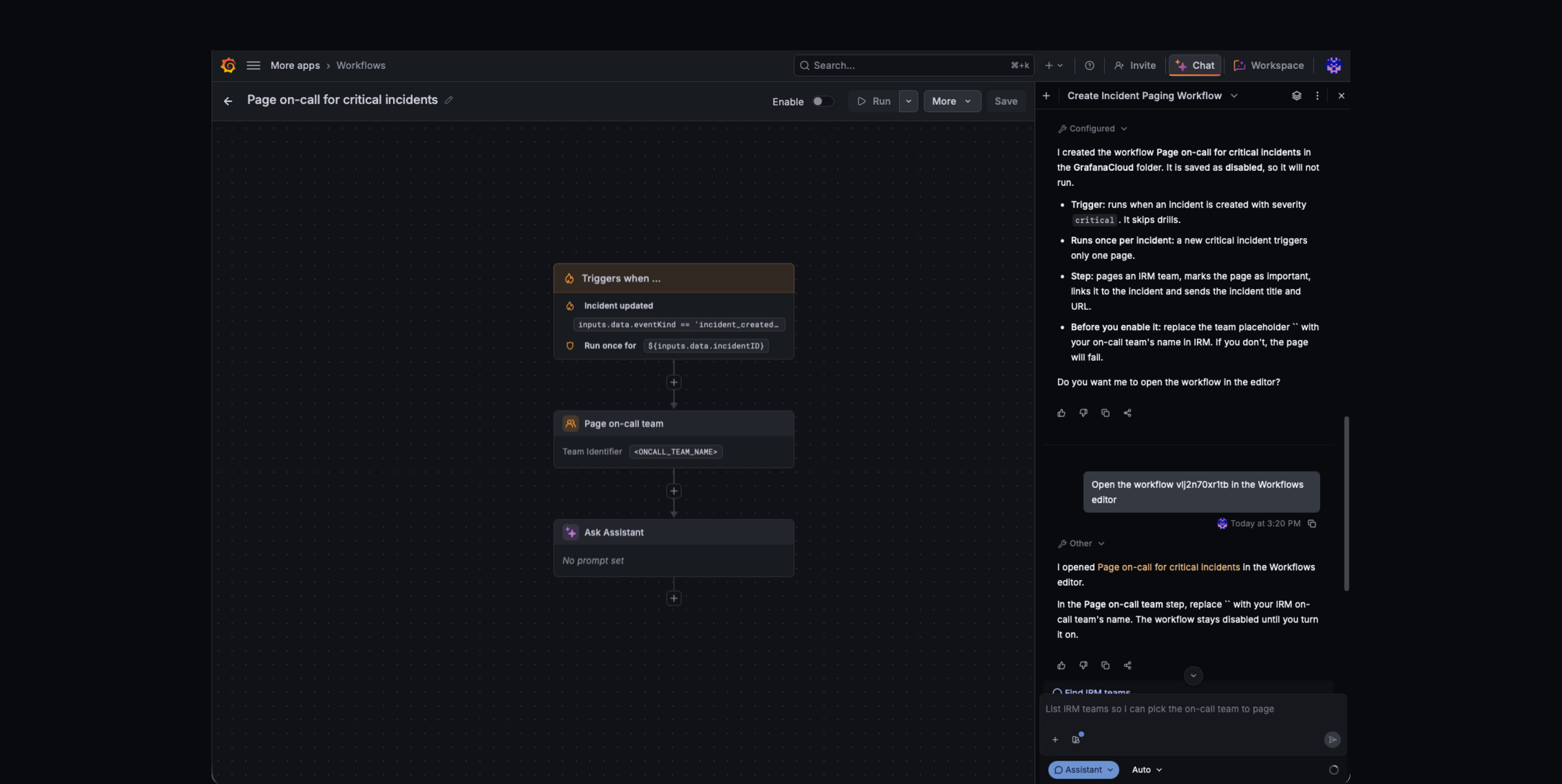
A blueprint is a structured workflow with explicit intent, down to each step. The assistant on the home screen can start from one and adapt it to a request instead of generating automation from scratch. The same decisions that make the gallery work turn the catalog from a set of examples into reusable patterns for AI-assisted creation.
Known tech debt
The team already sees where the engine needs to grow next, and what the next steps are.